Done means proven.
An agent saying “finished” is not the same as finished. Damper makes every task carry its own proof — checklist evidence, before-and-after screenshots, request and response examples — and gives reviewers one place to approve it or send it back.
Review evidence and checklists are on every plan.


Demo project with made-up data.
No evidence, no ship.
Each project defines a completion checklist, scoped to what a change touches — the server, the dashboard, a public page, a migration. Completing a task needs a resolution for every active item: done with proof, or skipped.
- Structured proof — commands run, files affected and a short evidence note per item.
- Completion receipt — what shipped, what was verified and what risk remains, stored on the task.
- Scoped by the change — the agent declares what it touched, and those checklist items apply.
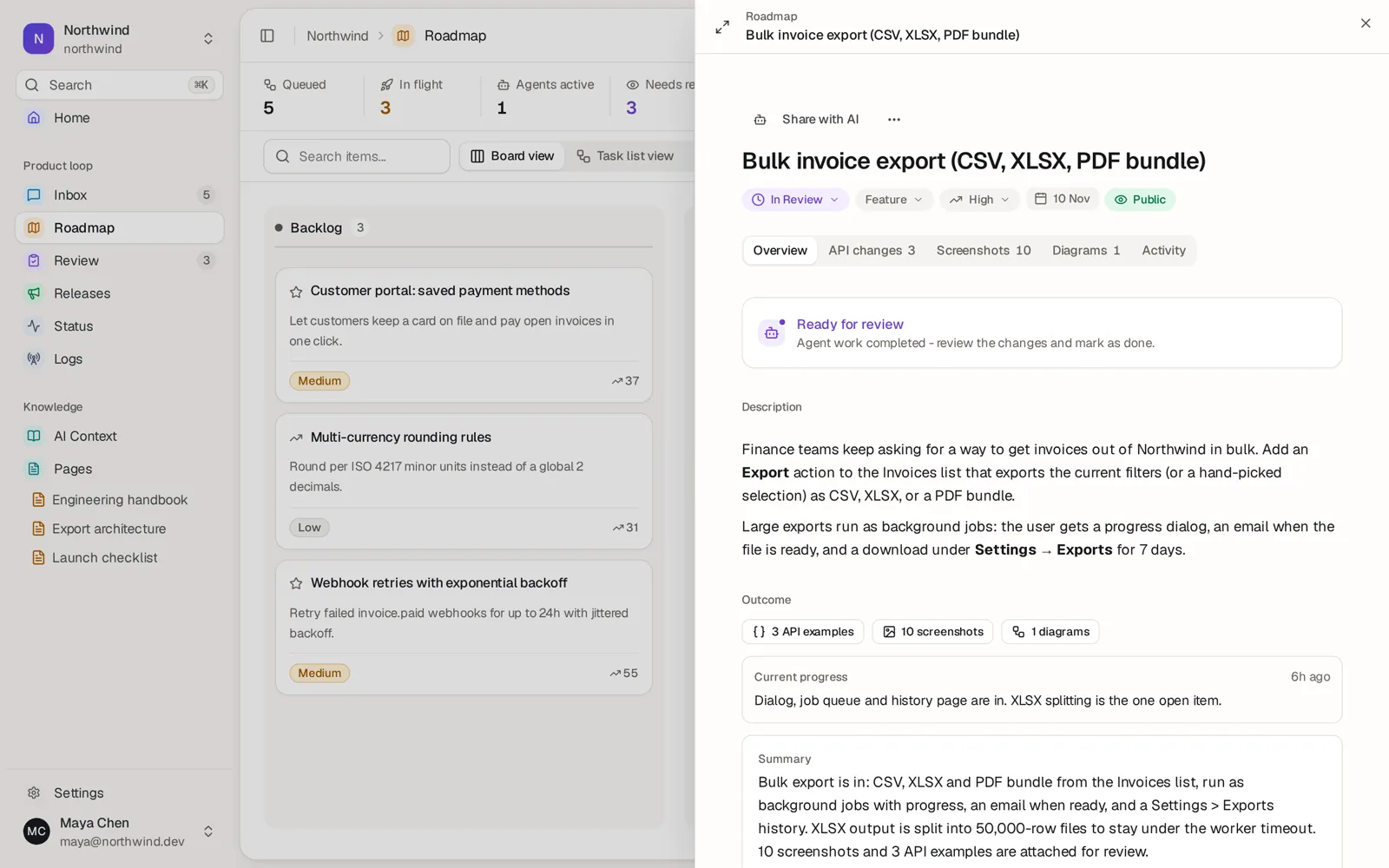
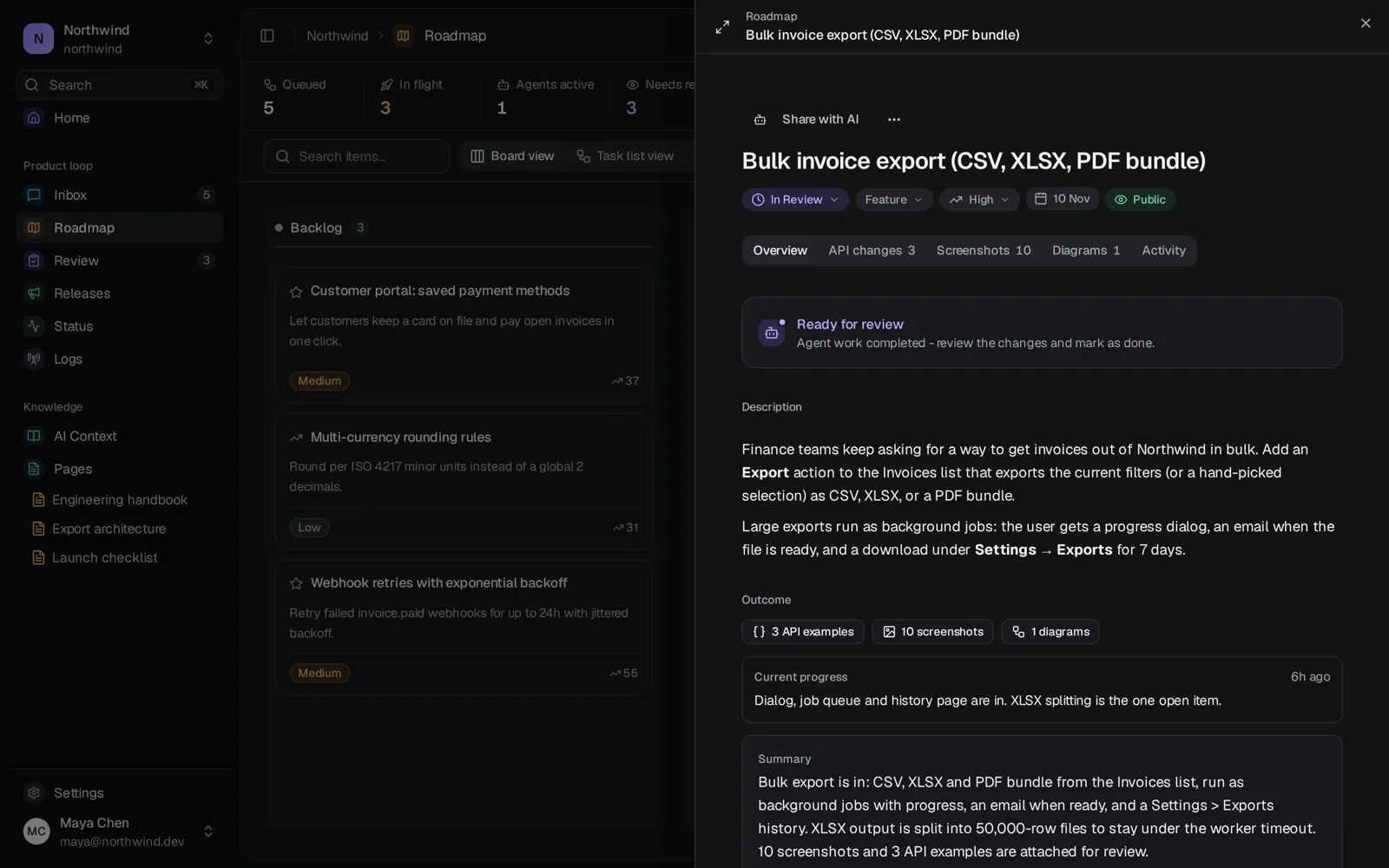
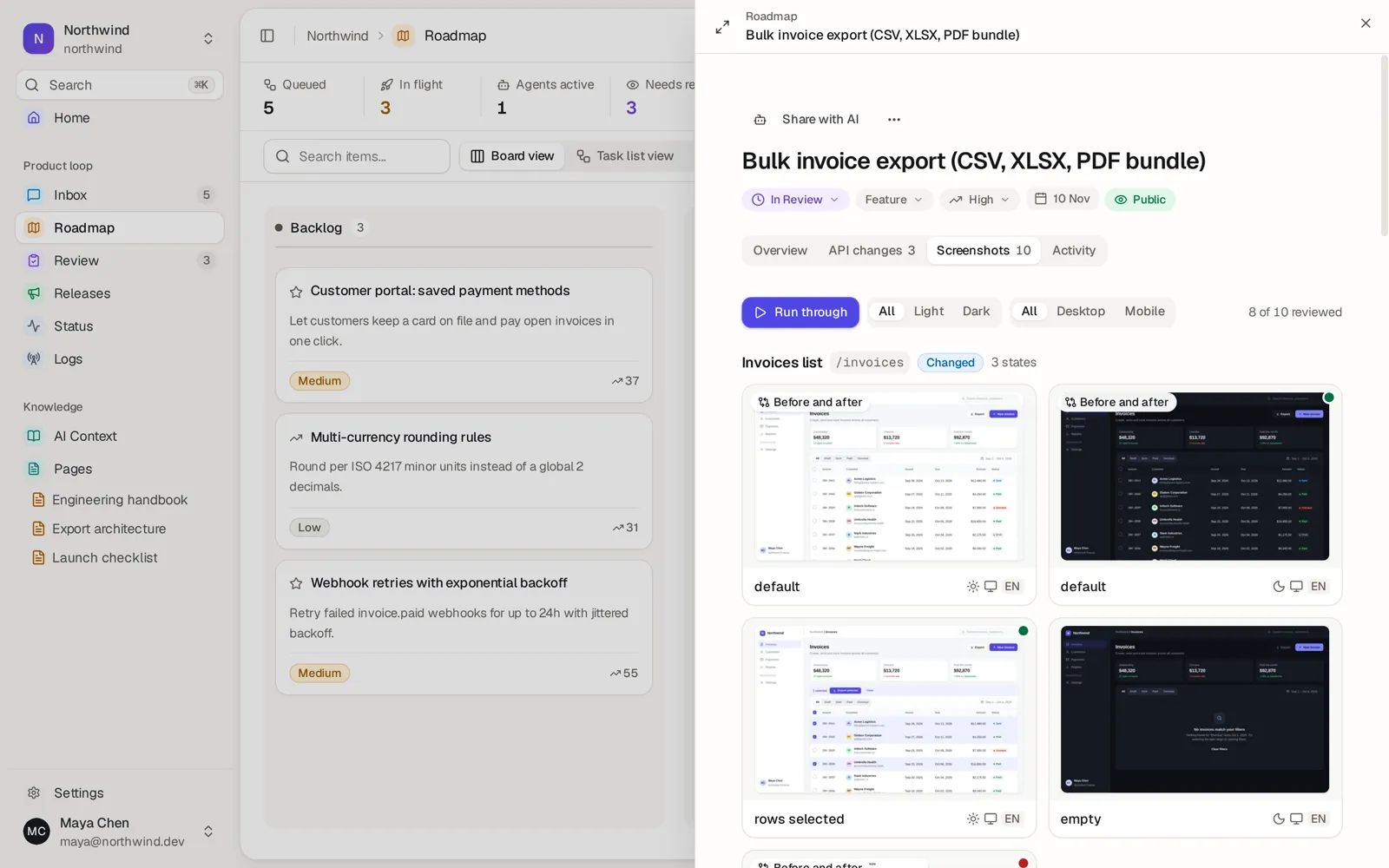
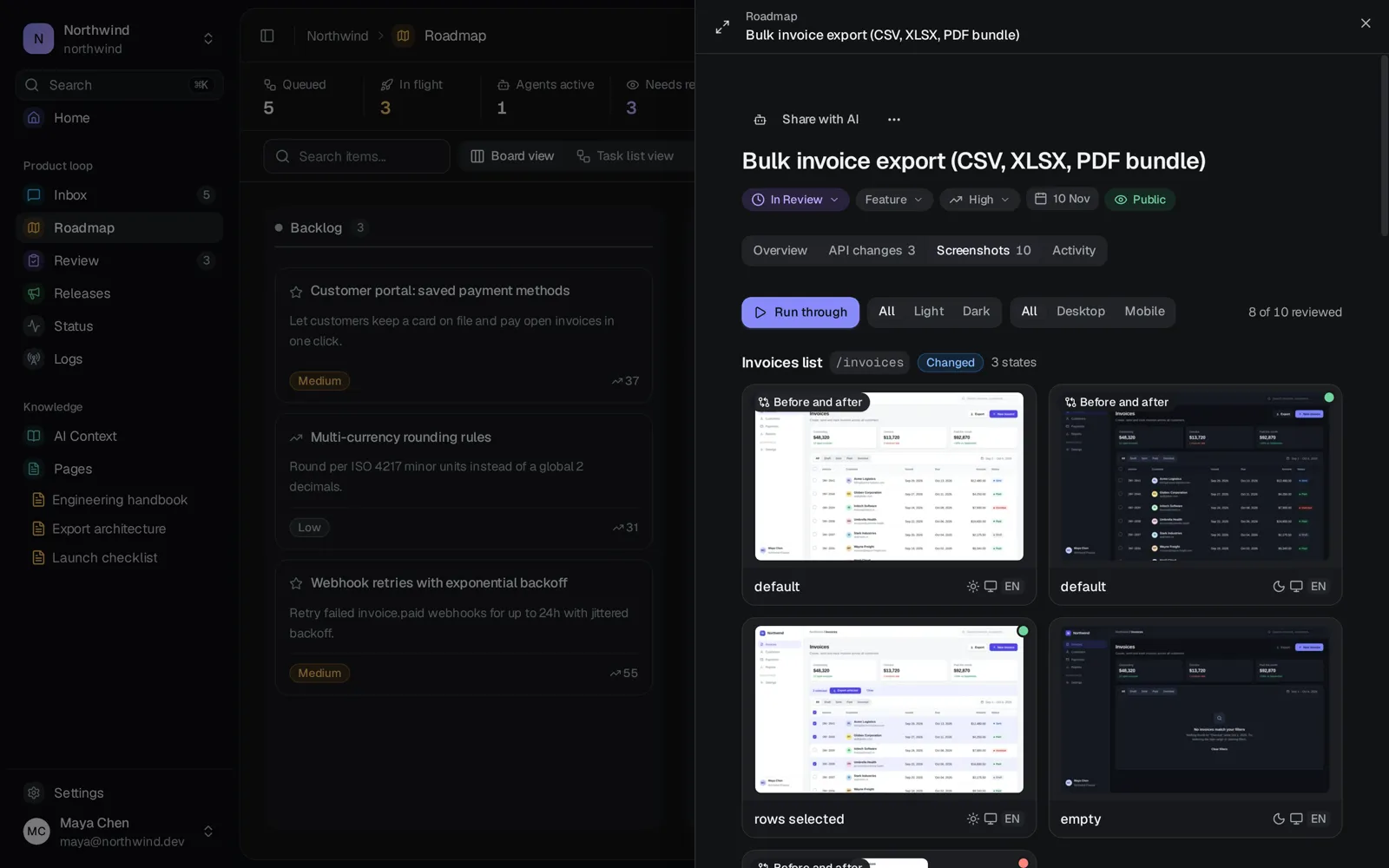
Every state, one after another.
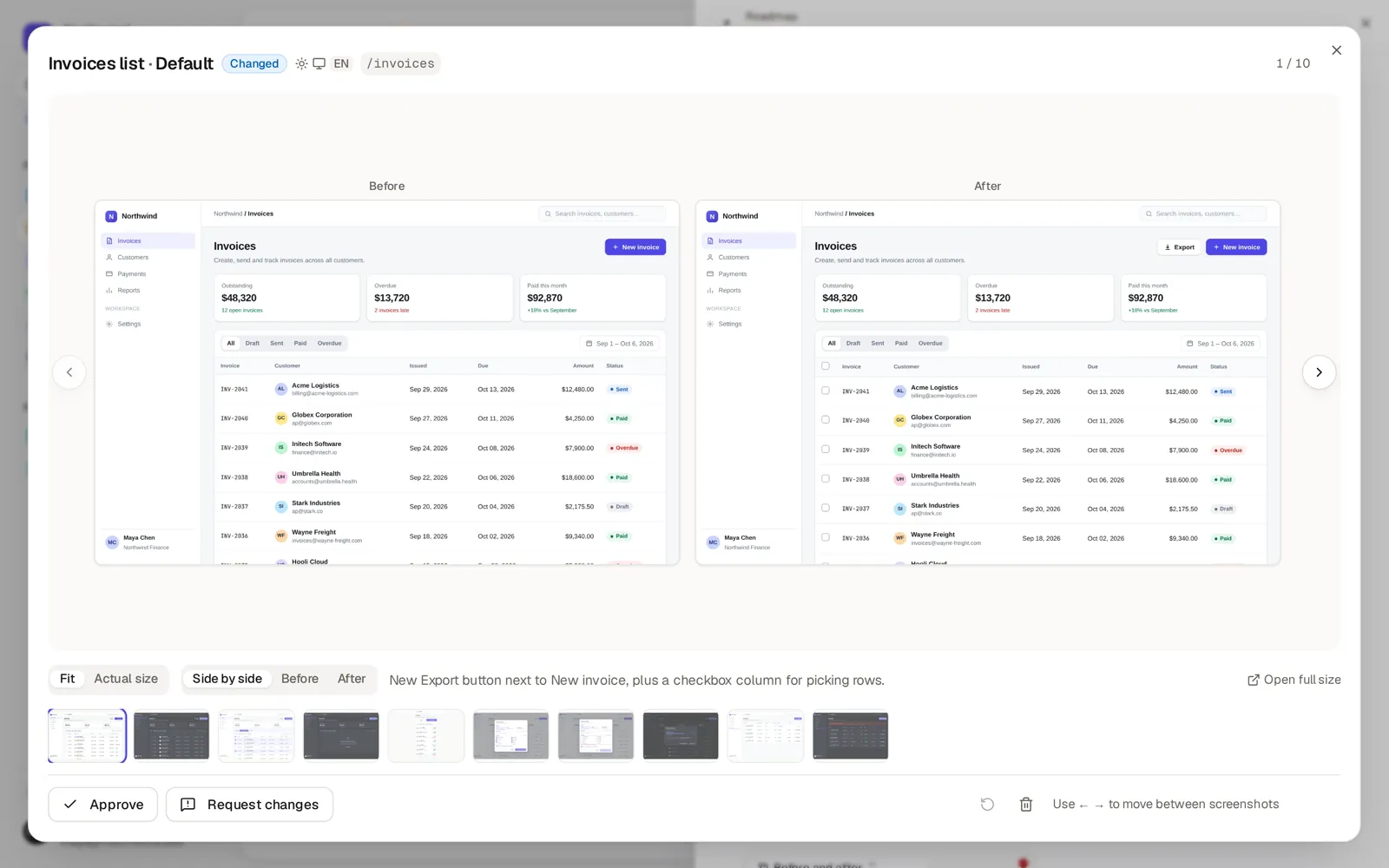
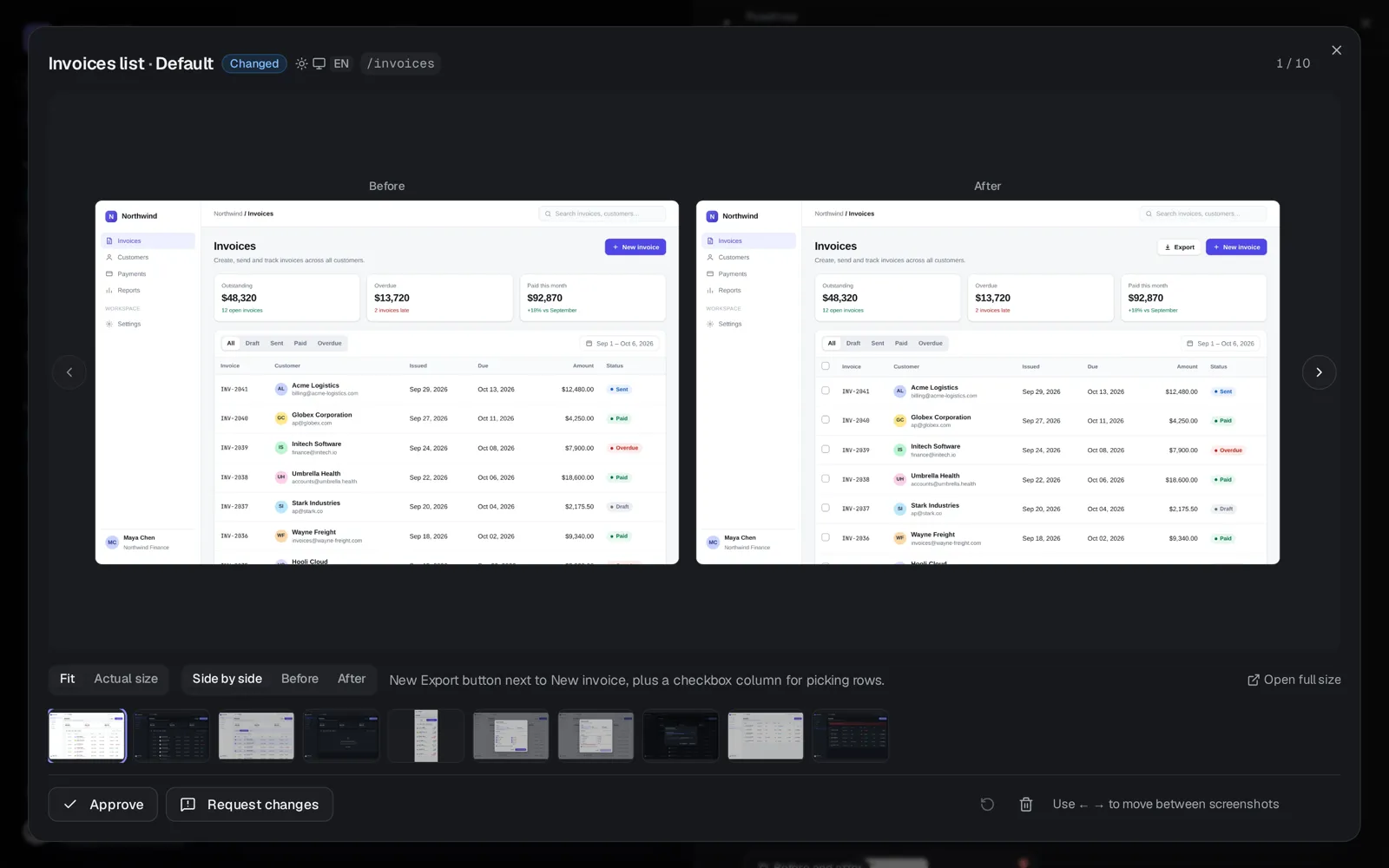
Agents capture each changed page in the states that matter — empty, loading, error, filled — per theme, locale and viewport, with a before image when the page existed already. Run through them in order, or narrow to one variant at a time.
- Run through — step from state to state with the arrow keys, before and after side by side.
- Filter by variant — only dark mode, only mobile, only one locale.
- Evidence policy per project — off, suggested or required for the change kinds you declare.
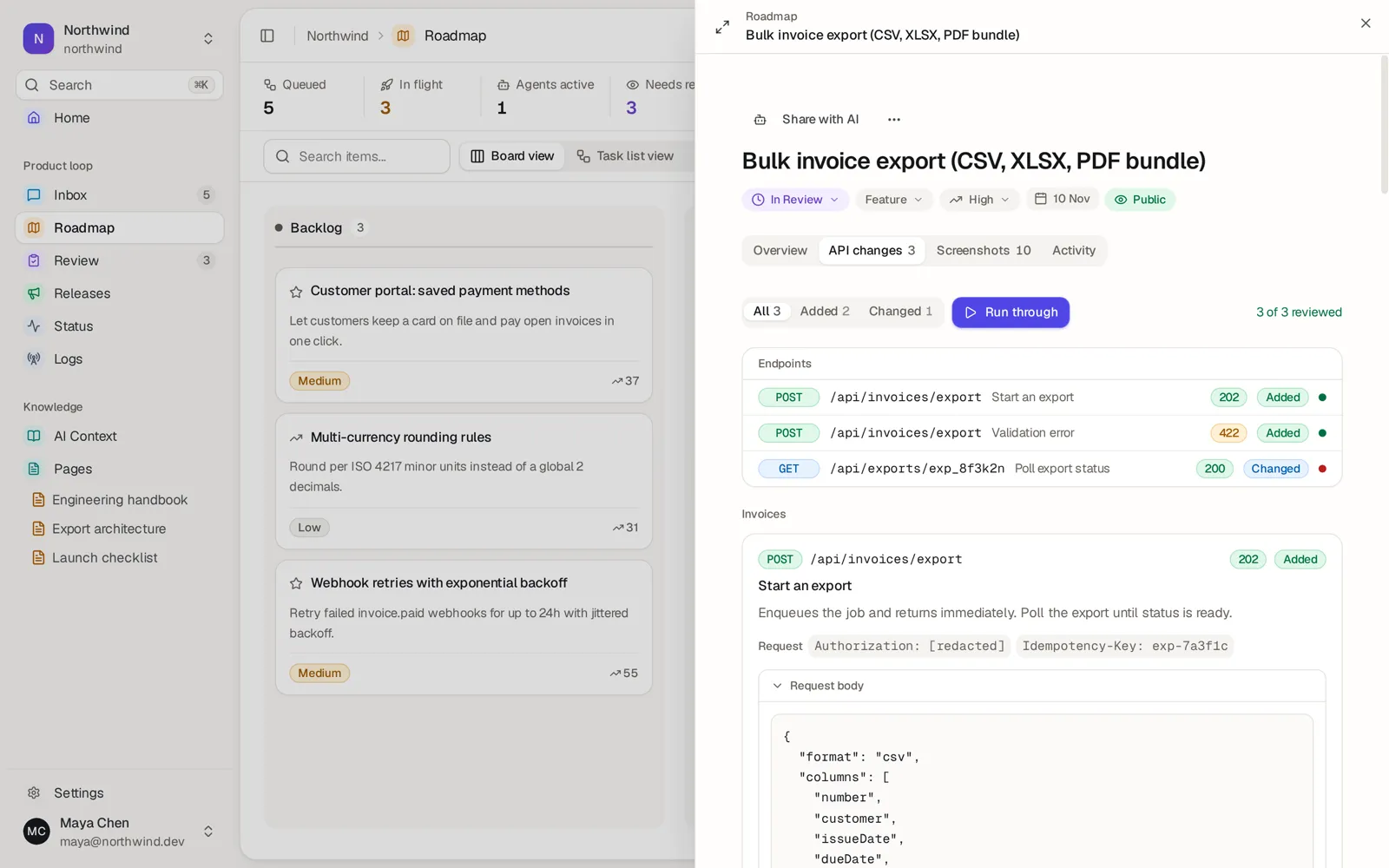
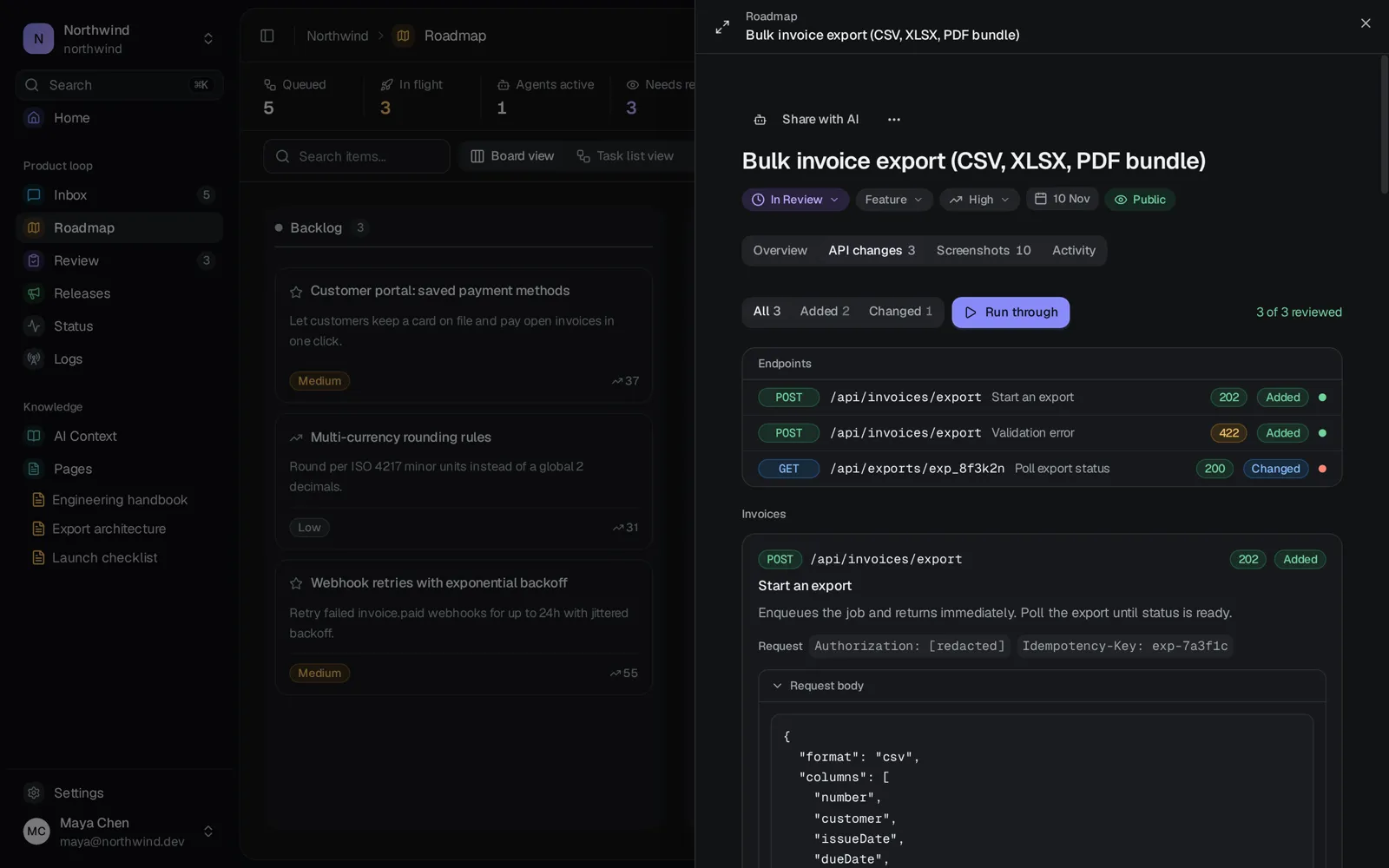
What changed, field by field.
For every added or changed endpoint, agents attach the request, the response and what the endpoint returned before. Damper lists the fields that actually changed, so you never compare two JSON bodies by eye.
- One example per outcome — the success and each error case of a route sit together under its endpoint.
- Safe to share — credentials redacted, long bodies trimmed, any example copied as curl.
- What changed — added, changed and removed fields by path, with the full response one click away.
Logic you can see.
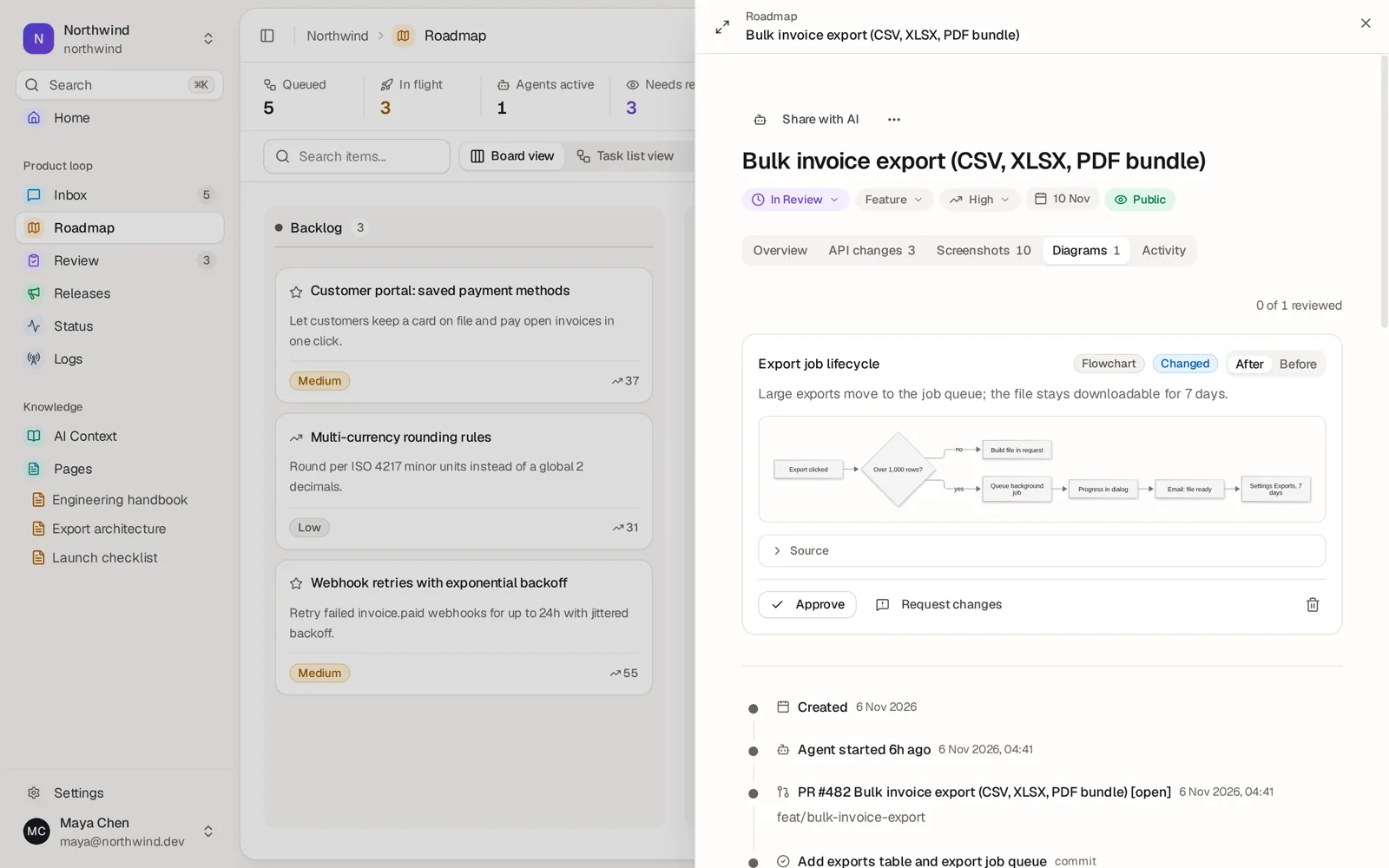
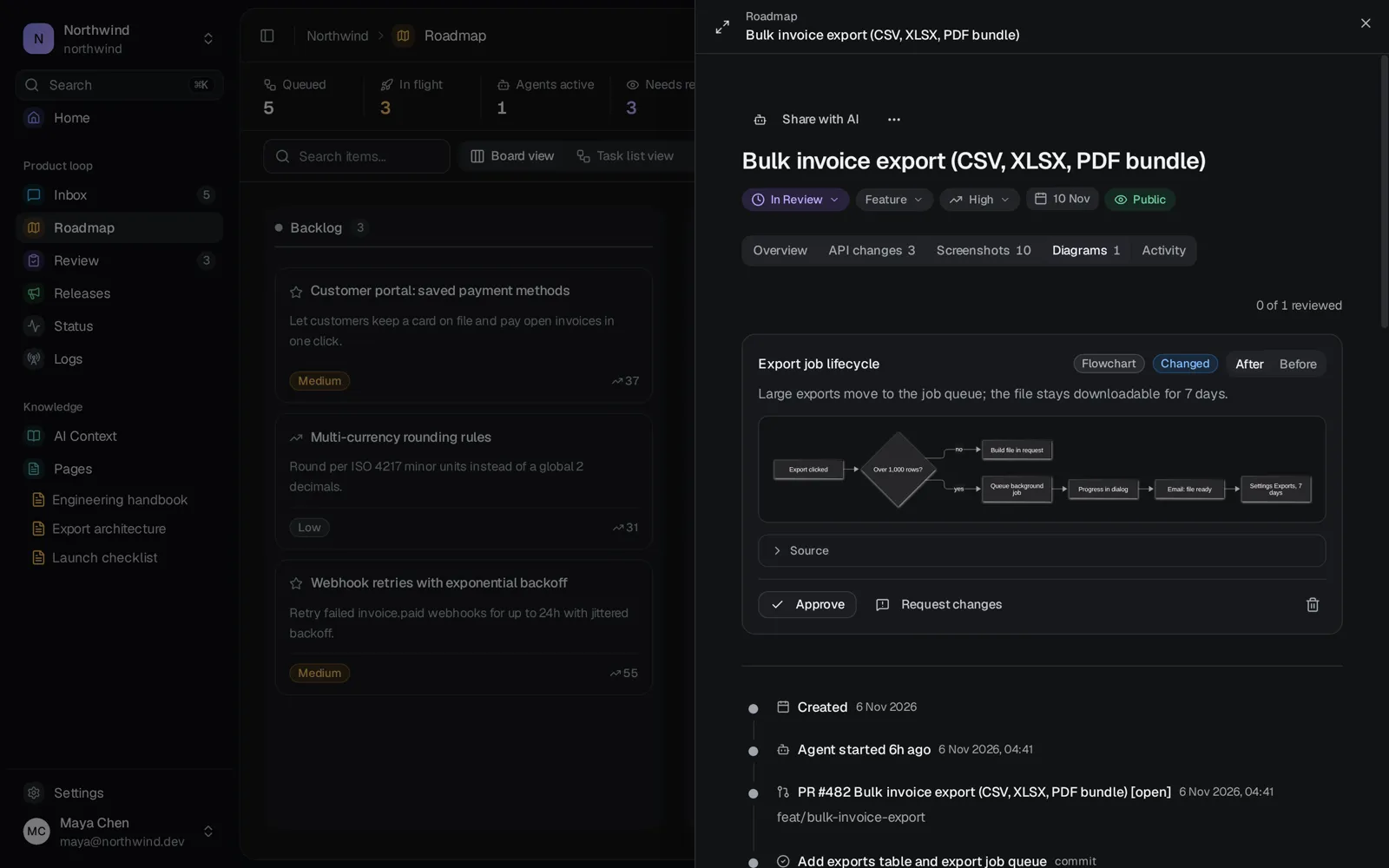
When a change alters a flow, the agent attaches a Mermaid diagram of it, with the version before the change when there was one. Approve it like any other evidence.
- Before and after — the old flow next to the new one.
Reviewers decide. Agents listen.
Approve an artifact or request changes on it. The verdict is stored on the task, so the next agent session reads it back and fixes exactly what you flagged — no copy-pasting feedback out of chat.
- Per-artifact verdicts — approve or request changes on each screenshot and example.
- Public “what to verify” — review instructions can appear on the public roadmap item while it is in review.
Review on every plan.
| Compare | Free | Pro | Team | Enterprise |
|---|---|---|---|---|
| Screenshots, API examples and diagrams | Included | Included | Included | Included |
| Completion checklist | Included | Included | Included | Included |
Free
- Screenshots, API examples and diagrams
- Included
- Completion checklist
- Included
Pro
- Screenshots, API examples and diagrams
- Included
- Completion checklist
- Included
Team
- Screenshots, API examples and diagrams
- Included
- Completion checklist
- Included
Enterprise
- Screenshots, API examples and diagrams
- Included
- Completion checklist
- Included
Review the work where the work is.
Checklists, screenshots and API examples arrive with every task, so review takes minutes, not a meeting.
Free plan, no credit card. Your roadmap can be live in five minutes.